Location Tracker Phone Tracker
- 3.6
- Rating
- 5.00M
- Installs
- Free
- Price
 Analysis by App-foxy
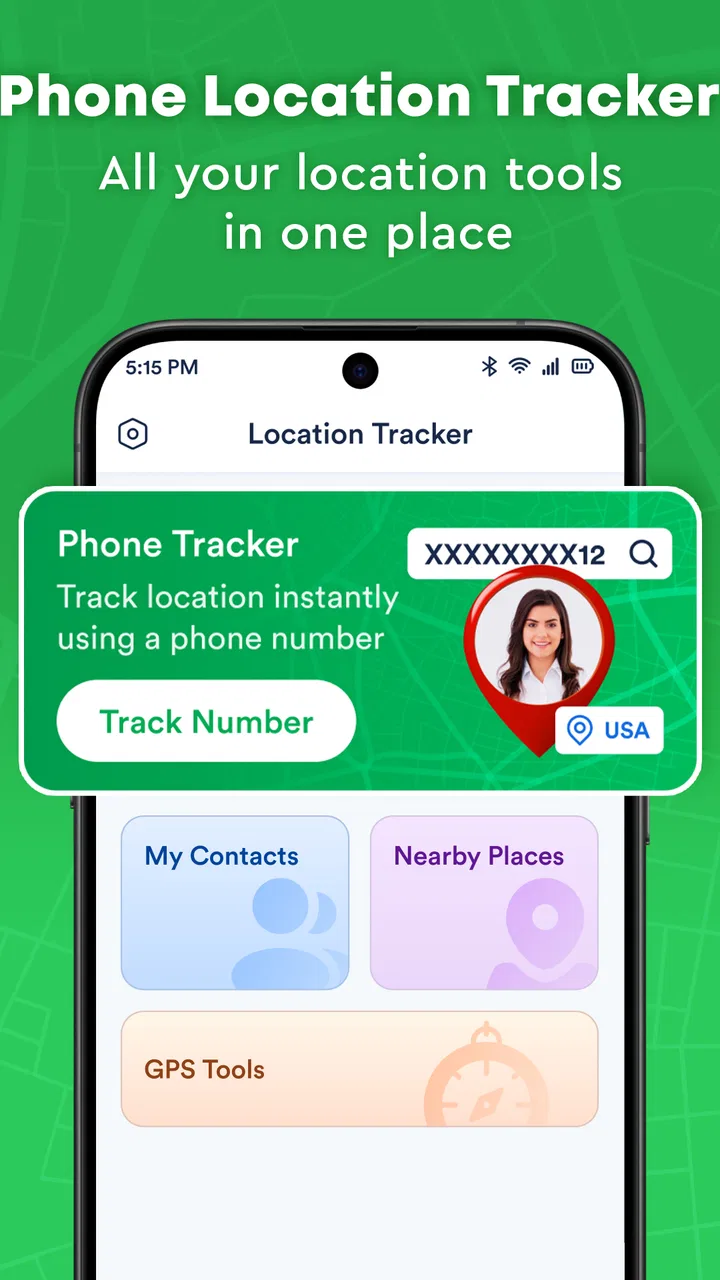
Location Tracker Phone Tracker is the kind of location-sharing app I would try when I need a straightforward way to keep track of a phone, but I would not install it casually on every device in the household. Its purpose is clear: it focuses on real-time phone tracking and sharing a location rather than trying to become a complete travel, navigation, or family-management platform. That narrow focus can be useful, especially when all I want is a simple view of where a phone is, but it also means I pay close attention to access, consent, and the moments when location information is being shared.
In my experience, tracking apps deserve a more careful look than an ordinary weather or calculator app. A map showing a person’s position can be convenient when someone is travelling, meeting friends, or trying to recover a misplaced phone, yet the same information is sensitive. I therefore judge this app less by how impressive its store summary sounds and more by whether the visible choices feel understandable while I use it. Location Tracker Phone Tracker is free to download, has an Everyone content rating, and comes from Code Cookies. Those details make it approachable, but they do not remove the need for sensible setup.
How the app feels when location sharing is the main job
The strongest part of the concept is its directness. Instead of asking me to learn a large collection of navigation tools, the app is built around the basic question, “Where is this phone?” That makes it easier to imagine in everyday situations. A family member travelling home can share a position, a group meeting in an unfamiliar area can coordinate more easily, or I can use it as one part of a plan for finding a device. The usefulness comes from reducing the number of steps between opening the app and understanding a location.
You May Also Like

 Blood Strike: 2.5 Anniversary
Blood Strike’s Loadouts Turn Every Drop Into a Tactical Gamble
A close look at Blood Strike’s custom loadouts: how fast access to signature weapons reshapes its battle royale rhythm, rewards preparation, and narrows the gap between fights.

 Pandora - Music & Podcasts
Pandora’s Music Is Easy to Start, but Harder to Recover
Pandora’s strength is its low-effort path from a seed to a station. Its weak spot is how much confidence it asks you to place in connection, setup, and quiet recovery.

 8 Ball Pool
 Is Built on Rivalries, Rematches, and Routine
A close look at the rivalries, rematches, shared routines, and unanswered safety questions that turn a quick pool match into a persistent mobile community.

 Samsung Music
’s Quiet Strength Is Playing What You Already Own
Its reach comes less from spectacle than from dependable access to a personal library. That simplicity is both the app’s strongest retention engine and its ceiling.

 AccuWeather: Weather Radar
AccuWeather Review: A Quick, Clear Forecast for Everyday Decisions
For everyday plans, the best forecast is the one you can understand quickly. AccuWeather makes rain timing, radar, and local conditions easy to act on, with a few trade-offs.

 Hill Climb Racing
Why Hill Climb Racing Still Turns Crashes Into One More Run
A tiny car, a bumpy hill and one more upgrade: Hill Climb Racing keeps resurfacing because its simple chaos makes every near-miss feel personal.
More From Our News Desk



That simplicity also creates a trade-off. A dedicated tracker is not automatically a replacement for a full navigation service. If I need turn-by-turn directions, public transport planning, saved places, traffic information, or detailed route discovery, I would choose a conventional maps app instead. Location Tracker Phone Tracker makes more sense when the person or phone being located is the focus, not the road itself. Knowing where someone is and knowing how to reach that place are related tasks, but they are not identical.
The app has reached more than five million installs, while its average rating is 3.6 from roughly a hundred ratings. I read that combination as a reason to keep expectations balanced. It suggests that the idea has attracted a substantial audience, but the rating does not support treating the experience as universally smooth. I would install it with a specific use case in mind, then check whether the sharing flow is comfortable for the people involved before depending on it during an important journey.
A realistic day-to-day example
Imagine that I am meeting a friend at a busy outdoor event. Rather than sending several messages asking which entrance they can see, we could use a location-sharing tool to establish a rough meeting point. I would still agree on a time and a fallback place, because a live position is not the same as a promise that someone will remain there. If the phone loses signal, the battery runs low, or the person stops sharing, the map alone cannot solve the problem. The practical lesson is to use tracking as a coordination aid, not as the only communication plan.
Another reasonable scenario is a parent helping an older relative during a trip. The key is that the relative should understand what is being shared and when. I would set it up together, explain how to stop the sharing session, and avoid treating the map as a substitute for a phone call. This approach gives the feature a clear purpose without turning a convenient tool into constant supervision.
What I check before trusting a tracking app
With this type of application, I do not begin by adding every contact or enabling every option that appears during setup. I first look for the visible explanation of location access, who can see the position, and whether sharing can be ended without uninstalling the app. I also pay attention to whether the app makes a distinction between a one-time location and an ongoing real-time view. Those differences matter more to me than a polished map screen.
I would also check the phone’s own system controls after installation. On Android, location access can usually be reviewed in the app-permission area, and I would revisit that screen if I no longer need tracking. The app supports devices from Android 7.1 onward, so compatibility should be considered before installing it on an older phone. A compatible operating system does not guarantee an identical experience across devices, particularly when manufacturers manage background activity and battery use differently.
My rule is simple: never share a live location until I can explain who receives it, why they need it, and how I will stop it. That rule is useful here because the central feature is also the most sensitive one. If another person is helping with setup, I would make sure the account or device remains under the owner’s control rather than allowing a helper to keep access indefinitely.
Controls, consent, and the moments that need extra care
Location information can reveal more than a single destination. Repeated points may show a home, workplace, school, place of worship, or regular medical appointment. For that reason, I would avoid leaving continuous sharing active simply because it is convenient. A short sharing period connected to a clear event is easier to understand and review than an open-ended arrangement that everyone eventually forgets about.
I would be particularly careful when lending my phone, changing phones, or helping someone sign in. A tracker can remain useful only when the person who owns the device knows which account is active and which contacts can access the position. Before handing a phone to someone else, I would review the app’s sharing state and the operating system’s location permission. After a trip or event, I would repeat that check instead of assuming that closing the screen ended everything.
There is also a difference between tracking a phone I own and tracking another person. The first may help with device recovery or personal organisation; the second requires clear agreement. I would not use this app to monitor someone secretly, and I would not accept a request to share my location merely because it comes from a familiar person. A trustworthy setup is one where every participant understands the arrangement and can change their mind.
Battery and connectivity are practical concerns too. Real-time location features depend on the phone being powered, connected, and able to determine its position. I would therefore keep an alternative plan for travel: a meeting point, a phone number, or a message confirming arrival. If precision matters, I would verify the position through direct communication rather than assuming that the marker is perfectly current. This is not a criticism unique to one application; it is an important limitation of relying on a phone as a live sensor.
Where this app fits beside familiar alternatives
Compared with a general maps service, Location Tracker Phone Tracker is more focused on the person or device being located. That can make the experience less distracting for a simple sharing task. On the other hand, a full maps platform is usually the better choice when I need directions, place searches, route alternatives, or broader travel planning. I would not choose this tracker merely because I already use maps; I would choose it when location visibility itself is the main requirement.
Compared with built-in phone-finding tools, the decision depends on the job. A phone manufacturer’s or operating system’s own recovery feature may be the more natural option when my only goal is to locate my personal device, especially because it is already connected to the phone’s account environment. A separate tracker can be more convenient when several people need to share positions, but I would compare the sign-in and sharing steps before moving an entire family or group to it.
Compared with a messaging app that offers temporary location sharing, this application may appeal to someone who wants tracking to be the central function rather than an extra inside a conversation. The trade-off is another app to maintain and another place where I must review access. If I only need to tell a friend where I am for a short meeting, a familiar messaging tool may be quicker. If location sharing is a recurring part of my routine, a dedicated interface could be easier to revisit.
Costs, version details, and what I would watch during setup
The app is free, but it includes in-app purchases ranging from $1.99 to $24.99 per item. I would not assume that every useful function is included without charge. Before confirming any purchase, I would read the exact wording on the purchase screen and check whether it is a one-time item or part of a continuing arrangement. This is especially important for a utility that I might install for a single trip and then forget about.
The current version is 1.6, and the app was released on August 9, 2026. I would keep it updated through the normal store process, but I would still review its behaviour after an update rather than assuming that a familiar sharing arrangement has remained unchanged. When an app handles location, even a small interface change can affect which control I use or how quickly I can stop sharing.
One useful habit is to make a short setup checklist before relying on it: install it on the intended phone, identify the account in use, test sharing with a trusted person, confirm that the recipient sees the expected location, and then practise ending the session. That test can expose confusion before an airport pickup or emergency. I would also remove old recipients and revoke access when a trip, event, or temporary arrangement is over.
Who should use it, and who should choose something else
I can recommend trying Location Tracker Phone Tracker to someone who wants a dedicated location-sharing tool and is willing to manage consent carefully. It may suit families coordinating travel, friends meeting in crowded places, or individuals who prefer a focused tracker instead of a large maps application. The Everyone rating makes it broadly accessible in terms of content, although younger users still need guidance from a responsible adult when sharing sensitive location details.
I would be more cautious about recommending it to someone who expects a complete navigation suite. If the main need is route planning, traffic, transit, or discovering businesses, a conventional maps app is likely to be more useful. I would also suggest another option to anyone who wants only personal-device recovery and already has a reliable built-in service. Installing a separate tracker adds another account, another permission screen, and another purchase path to manage.
People who dislike checking permissions or who want location sharing to run without any attention should also pause. The app’s value depends on decisions about access, recipients, and timing. I would not call that a flaw in the idea, but it is a real responsibility. A tracker is a poor fit when convenience matters more than knowing exactly who can see the information.
My cautious verdict after weighing the useful and sensitive parts
Location Tracker Phone Tracker has a clear place in the Maps & Navigation category: it concentrates on locating phones and sharing positions instead of trying to do everything a map can do. I like that focused purpose because it can make a simple coordination task easier. I also appreciate that the app is free to start, supports older Android devices from version 7.1, and has already been installed by millions of users.
Still, I would not judge it as a hands-off safety solution. The average rating of 3.6 leaves me wanting to test the sharing process on my own devices before depending on it. I would confirm the recipient, check the phone’s location permission, practise stopping access, and keep a non-digital backup for important plans. Those steps are not overcautious; they are the minimum I expect whenever an app can expose where someone is.
My final view is positive but measured. Location Tracker Phone Tracker is worth trying when focused location sharing is the exact problem I need to solve, especially for a clearly agreed temporary arrangement. I would skip it in favour of a full maps service for navigation or a built-in device finder for personal recovery. Used with explicit consent, regular permission checks, and realistic expectations about battery and connectivity, it can be a practical tool. Used as invisible surveillance or as the only plan for finding someone, it is the wrong choice.
FAQs for Location Tracker Phone Tracker
01What is Location Tracker Phone Tracker used for?
Location Tracker Phone Tracker is designed to help users view and share the real-time or recent location of a phone, depending on the features enabled in the app. It can be useful for keeping in touch with family members, coordinating with friends, finding a misplaced device, or checking a device’s location history. Its usefulness depends on GPS availability, internet access, and the other person’s permission to share their location.
02Does Location Tracker Phone Tracker track someone without their knowledge?
A legitimate location-tracking app should not be used to secretly monitor another person. Location Tracker Phone Tracker may require consent, account access, or an invitation before a location can be shared. Users should always explain how tracking works and obtain permission, especially when monitoring family members or children. Attempting to track someone without authorization may violate privacy expectations, local laws, or the app’s terms of service.
03Does the app require GPS, mobile data, or Wi-Fi to work?
Yes, location tracking generally depends on several phone services working together. GPS provides the most accurate outdoor position, while Wi-Fi and mobile networks can help estimate a location when GPS signals are weak. The phone usually also needs an internet connection to send updated information. Accuracy can decrease indoors, underground, in crowded urban areas, or when battery-saving settings restrict background location access.
04Will Location Tracker Phone Tracker drain the phone battery?
Any application that regularly accesses GPS and updates a location in the background can use more battery than a standard app. The impact depends on update frequency, signal strength, screen usage, and whether the phone is moving. During testing, users should review the app’s location interval and battery settings, avoid unnecessarily frequent updates, and keep the device charged if continuous tracking is important.
05Is Location Tracker Phone Tracker free to download and use?
The app may be available as a free download, but some features can depend on in-app purchases, subscriptions, advertising, or limitations in the free version. Before installing, check the official Google Play Store or Apple App Store listing for current pricing, trial conditions, renewal details, and supported features. Pay particular attention to subscription terms, since trials may automatically convert into paid plans.
Pros
- Simple interface makes location sharing easy to set up.
- Useful for coordinating family members or small groups.
- Location updates can help during trips and outdoor activities.
- May support quick access to a device’s recent location.
- Can provide reassurance when contacts share their location voluntarily.
Cons
- Continuous GPS use may reduce battery life noticeably.
- Accuracy can drop indoors or in areas with weak signals.
- Some features may require a paid subscription.
- Location sharing raises privacy concerns if permissions are mismanaged.
- The app depends on an internet connection for reliable updates.

Location Tracker Phone Tracker
Gallery